
Redeem Subscription Code
Don’t miss a chance to redeem an exclusive offer to fully experience how Allxon can elevate your business operations management.
- Head to Allxon Portal to enter the device list page. Then click on a device.
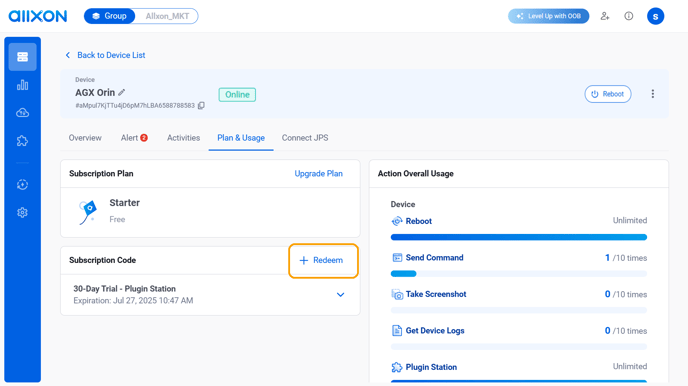
- Enter the Plan and Usage tab, then click on + Redeem on the top right corner of the Subscription Code card.
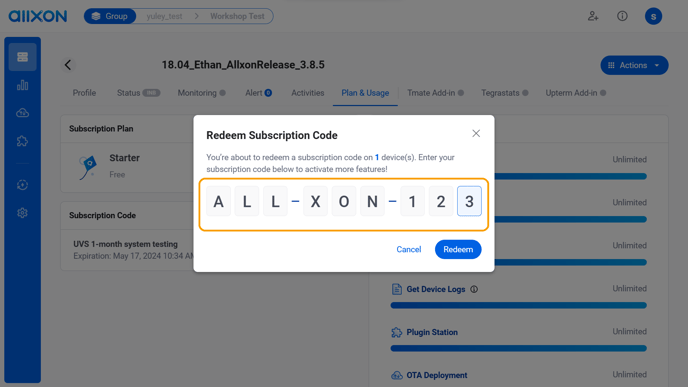
- Enter the 9-character subscription code and click Redeem to get the offer.
- After successfully redeeming the offer, you should see a short description of its terms of use.
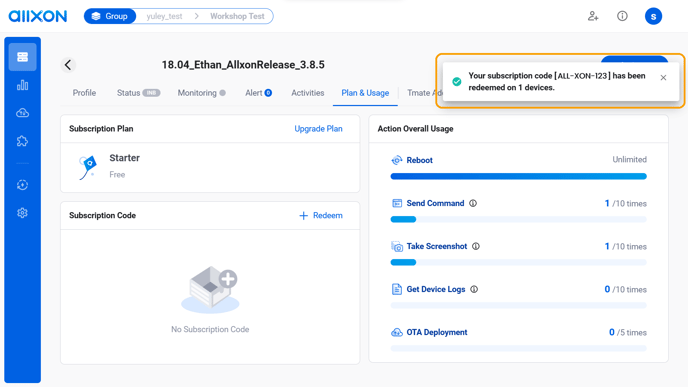
- Refresh the webpage to view additional information, including the expiration date and more details in the Subscription Code section.
-png.png?width=688&height=435&name=screenshot-3%20(2)-png.png)